
Khelv Deposit & Withdrawal – Wallet Guide
Everything about money in the Khelv App: adding funds, cashing out and fixing delays.
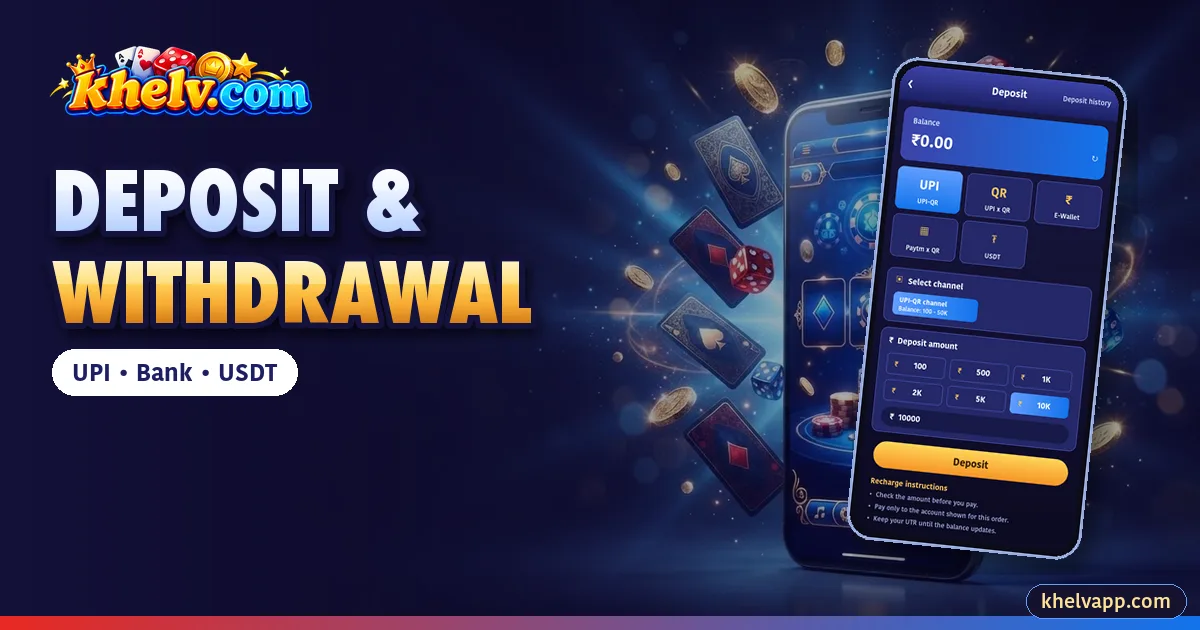
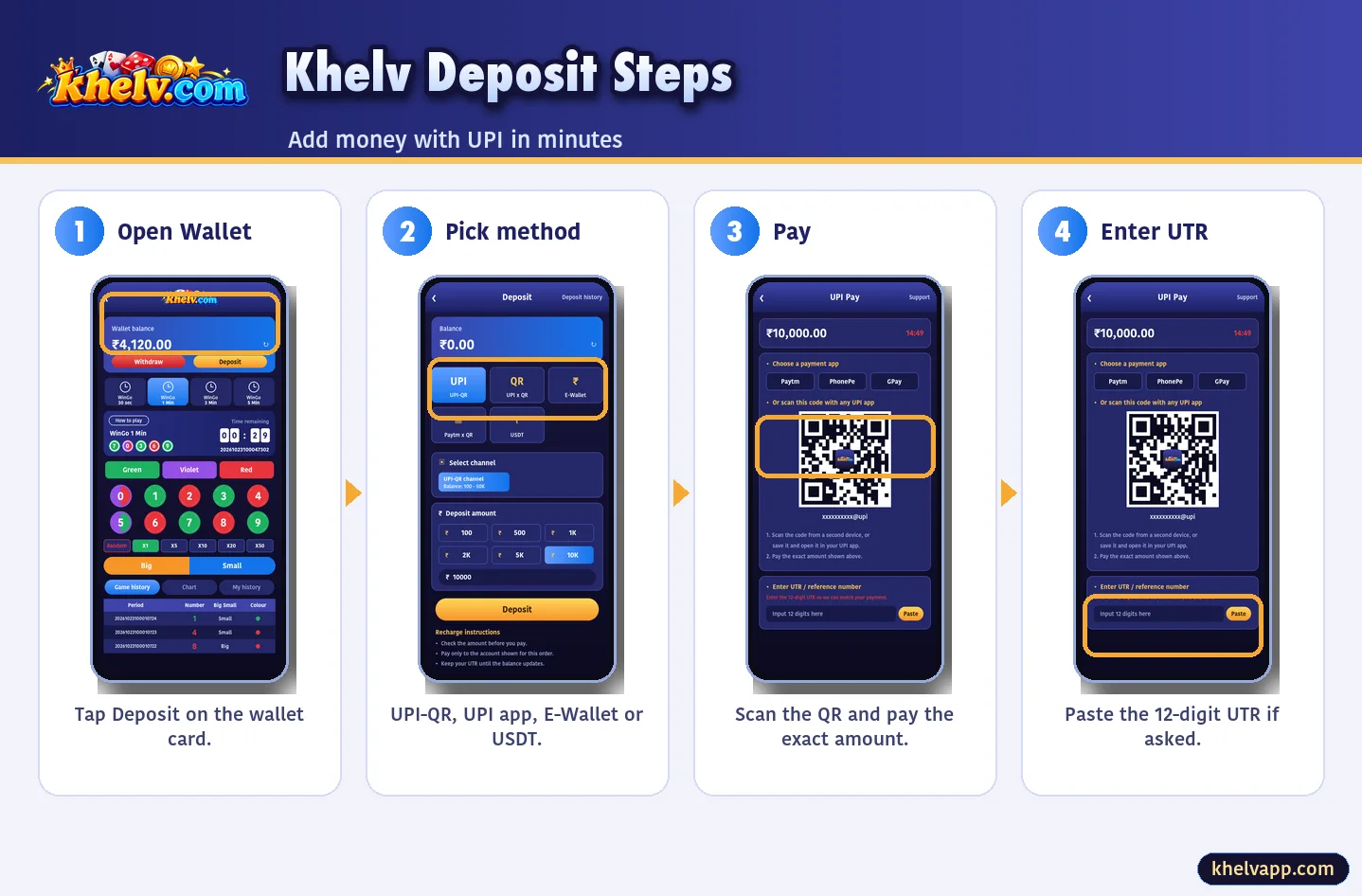
Deposit
- Wallet → Deposit.
- Choose UPI-QR, UPI app, E-Wallet or USDT.
- Pick amount and pay exactly.
- Enter UTR if asked.
Withdrawal
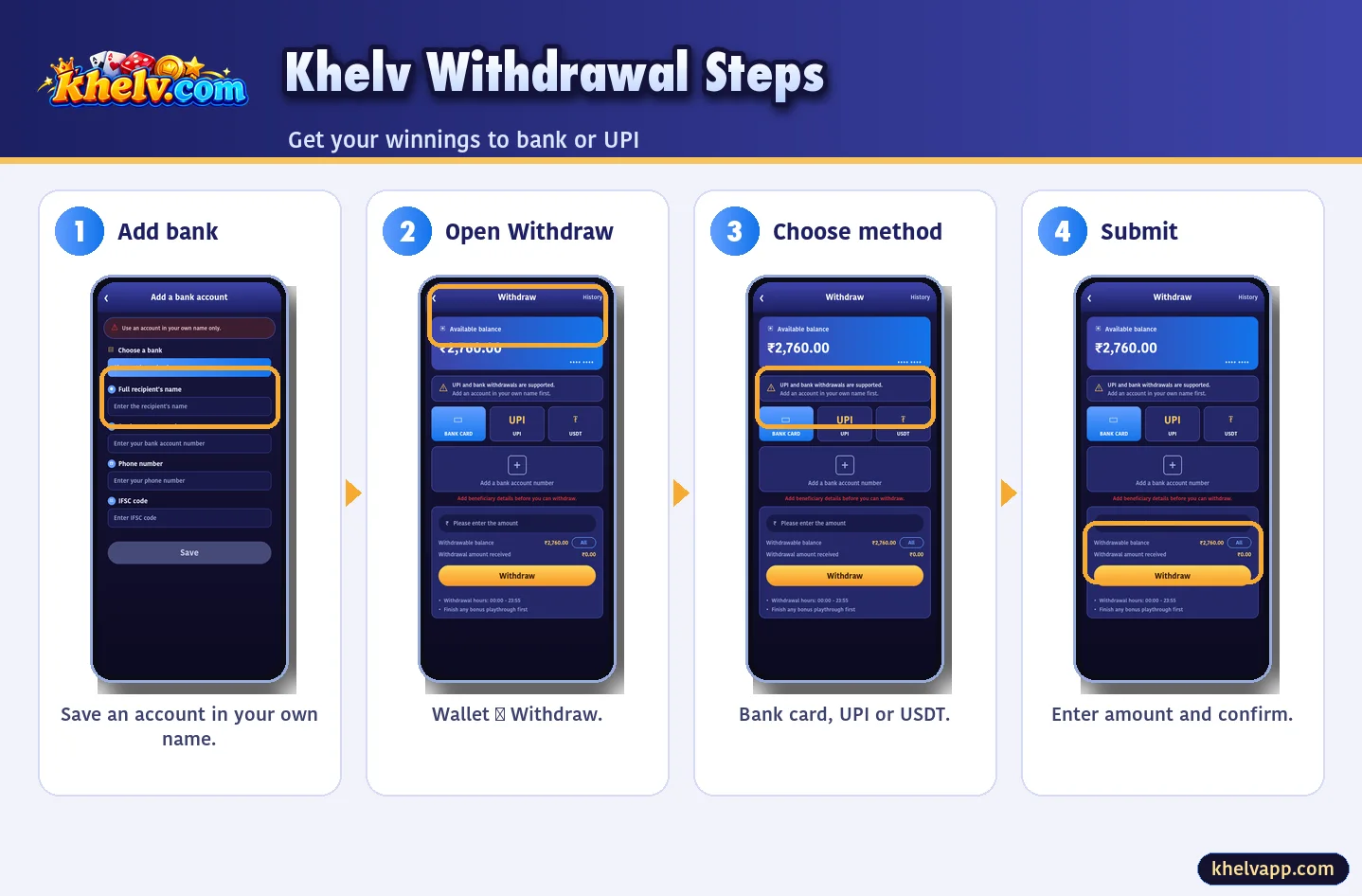
- Add bank/UPI in your name.
- Wallet → Withdraw.
- Choose method and amount.
- Confirm with withdrawal password.
Problems & Fixes
| Problem | Fix |
|---|---|
| Deposit not credited | Wait 15 min, check UTR, contact support |
| Withdrawal pending | Check bonus playthrough |
| Withdrawal rejected | Fix name/IFSC mismatch |
Payment Methods Compared
| Method | Deposit | Withdraw | Speed |
|---|---|---|---|
| UPI | Yes | Yes | Fast |
| Bank | — | Yes | Same day usually |
| USDT | Yes | Yes | Network dependent |
| E-Wallet | Yes | — | Fast |
Adding a Bank Account
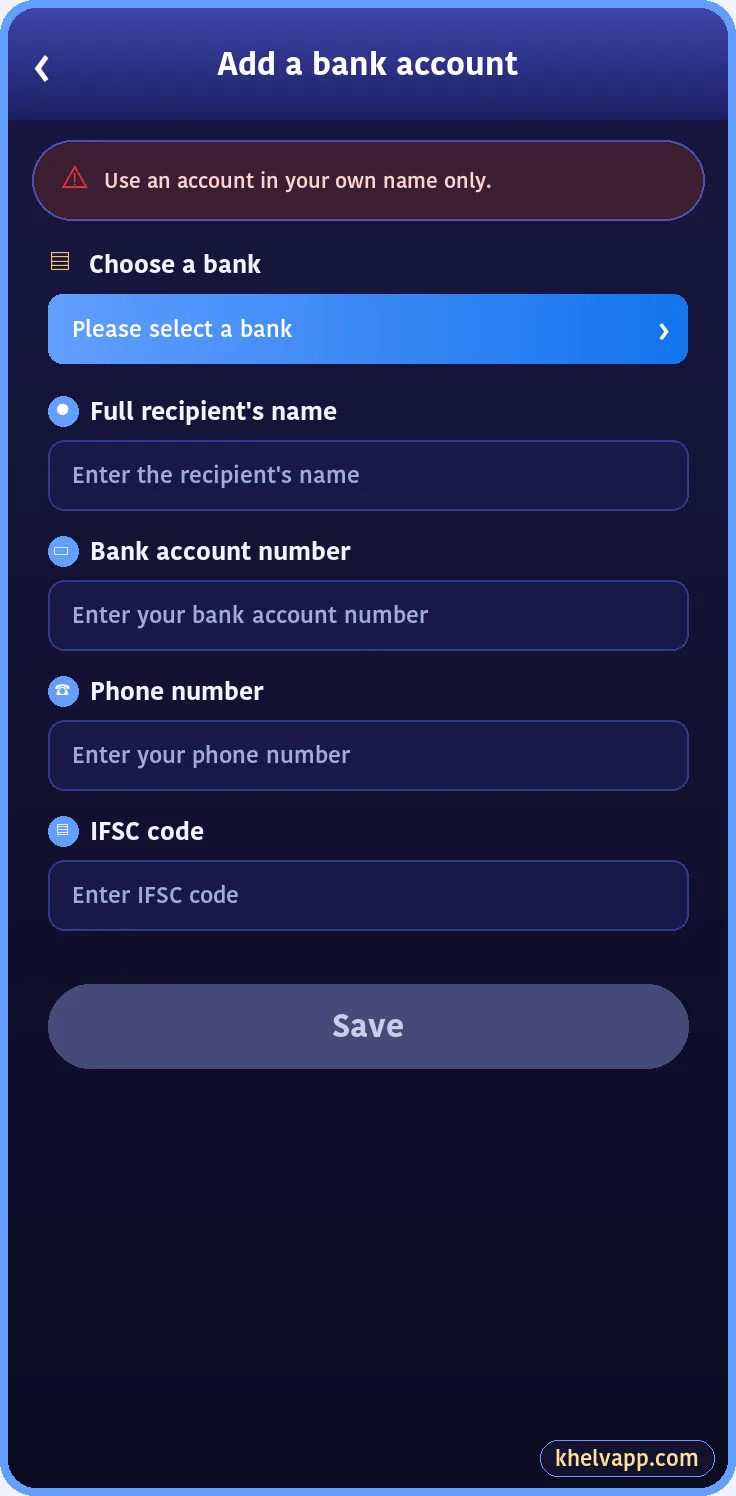
Withdraw → Add a bank account number → choose bank → enter holder name exactly as the bank shows it, account number, phone and IFSC → Save.
Safe Payment Habits
- Pay the exact amount
- Never reuse an old QR
- Never pay a personal UPI from chat
- Keep UTRs until balances update