
Khelv App Login – Sign In to Your Khelv Account
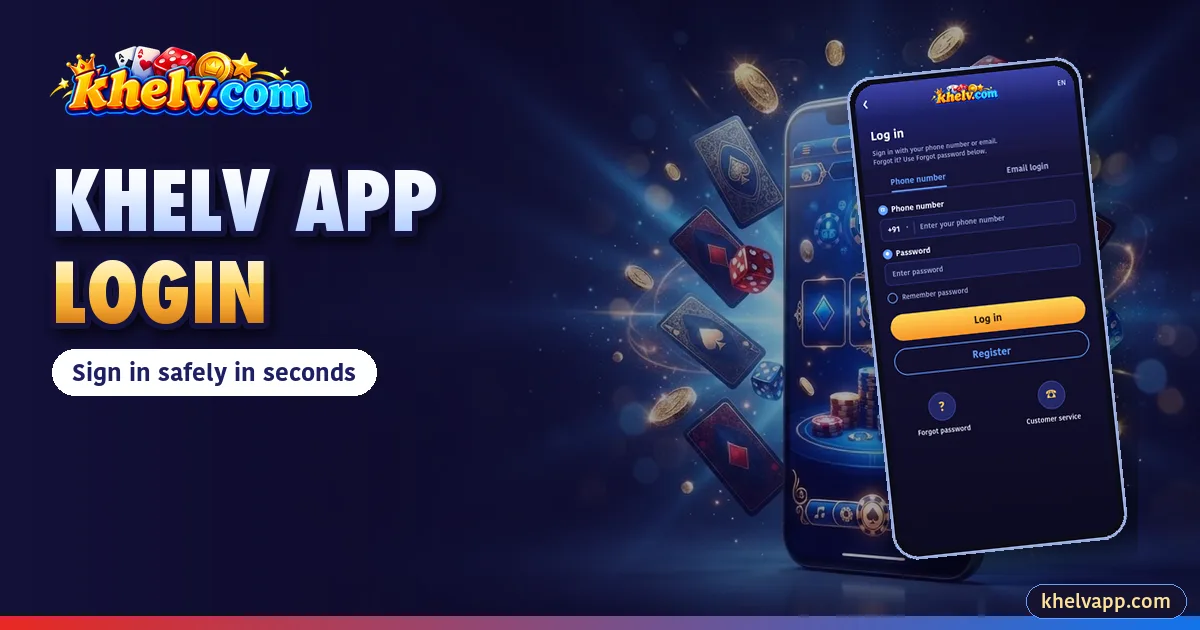
Signing in to the Khelv App takes seconds. Here are the steps, plus fixes for the problems players run into most.
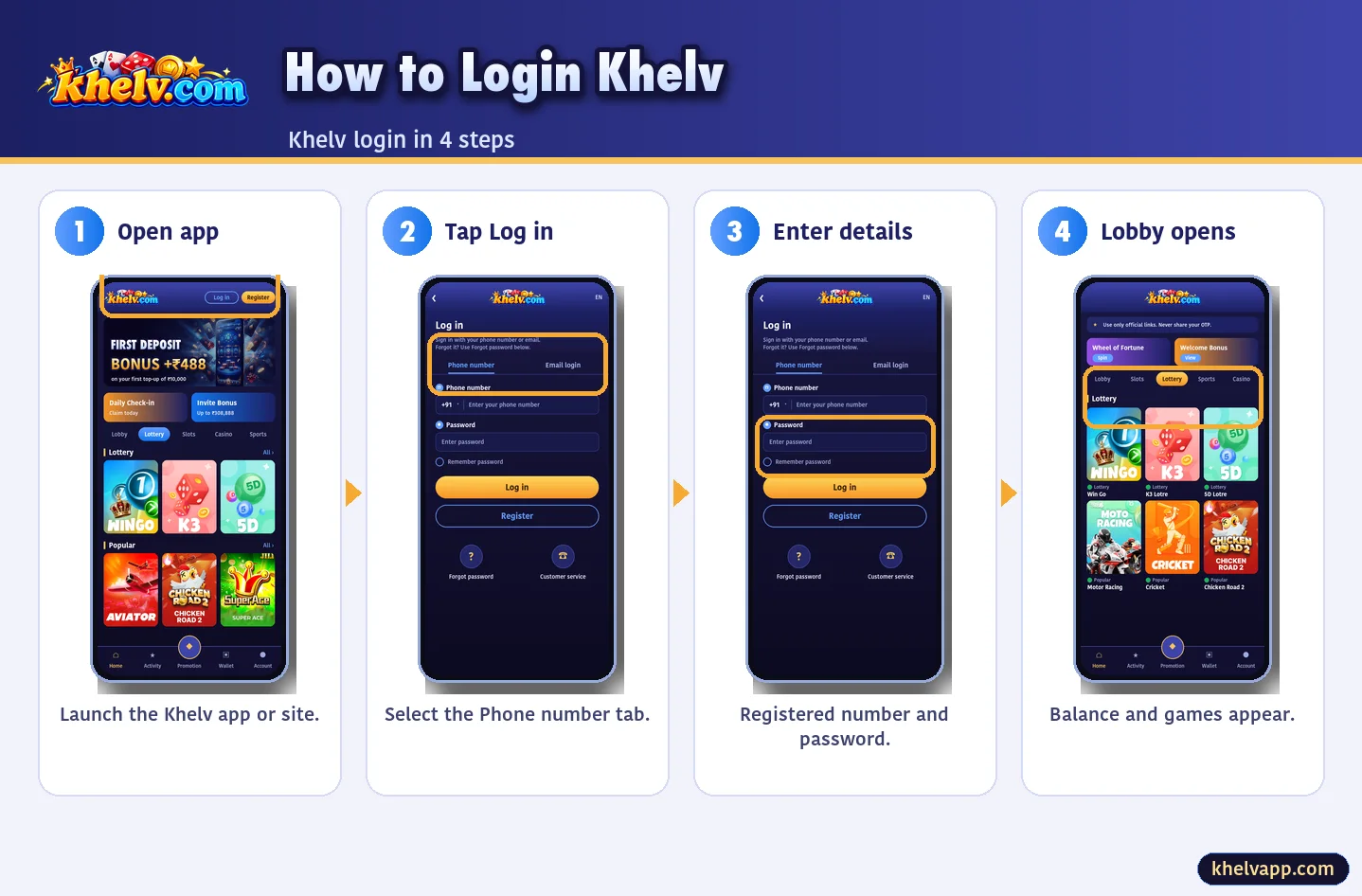
Khelv Login Step by Step
- Open the Khelv App (or the website).
- Tap Log in.
- Enter your registered mobile number.
- Enter your password.
- Tap Log in.
Khelv Forgot Password
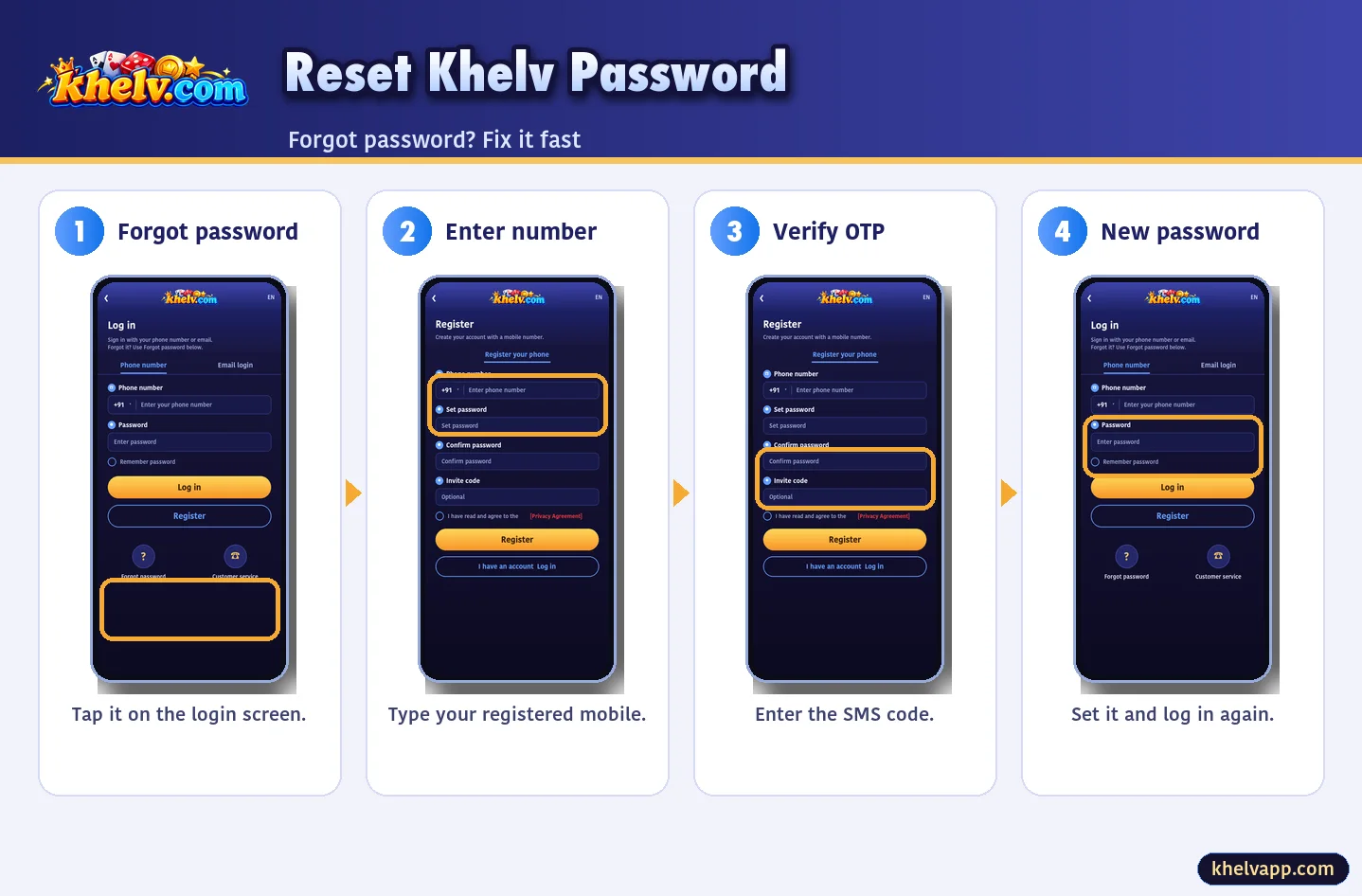
- Tap Forgot password.
- Enter your registered number.
- Type the OTP.
- Set a new password and log in.
Khelv Login Problems
| Problem | Fix |
|---|---|
| Wrong password | Clear autofill or reset |
| OTP not received | Wait 60s, check signal/DND |
| Account locked | Wait 10–15 minutes |
| App crashes | Update the Khelv App |
Keep Your Login Safe
- Unique password
- Withdrawal password set
- Never share OTP
- Log out on shared devices
Khelv App Login on a New Device
The first login on a new phone may ask for an OTP. Keep your SIM in the device and enter the code within its time limit. Log out of devices you no longer use.
Saving Your Password Safely
On your own phone the app keeps you signed in, so you rarely type the password. On shared phones or laptops, never let the browser save it and always log out.
Khelv Login Link: Use the App
Fake “Khelv login link” messages circulate in groups. Opening the Khelv App avoids them entirely. If you must use a browser, verify the domain first.
What Happens After Login
- Your balance appears on the Home tab
- Activity shows check-in and offers
- Account holds Gift, VIP and support
- Wallet handles deposits and withdrawals
Frequently Asked Questions
What is my Khelv login ID?
Your registered mobile number.